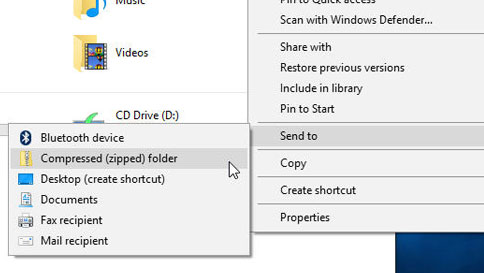
In the search box on the taskbar, type file explorer, and then select it from the list of results. Right-click the file you want to zip, and then select Send to > Compressed (zipped) folder.
Compress a file or folder: Control-click it or tap it using two fingers, then choose Compress from the shortcut menu.
If you compress a single item, the compressed file has the name of the original item with the .zip extension. If you compress multiple items at once, the compressed file is called Archive.zip.